$ rule-based attachment placement for Obsidian.md
An officially published Obsidian community plugin that gives per-folder control over where attachments are saved. Instead of dumping all pasted or dropped files into a single global folder, you define placement rules per directory. When an attachment is created, the plugin walks up the folder tree from the active note and applies the first matching rule it finds.
Built out of personal frustration with Obsidian's single-destination attachment behavior in larger, organized vaults. Published to the community plugin list and available for installation directly from Obsidian.
Obsidian exposes vault.getAvailablePathForAttachments as the hook point for attachment
destination resolution. The plugin monkey-patches this method at load time, replacing it with a
wrapper that runs the rule-matching logic before falling back to Obsidian's default behavior if no
rule matches.
When an attachment is created, the plugin starts at the folder containing the active note and walks up the directory tree. At each level it checks the ruleMap, a Map from folder path to destination glob, for a matching entry. The first match determines the destination; if the root is reached with no match, a configurable global default applies. This bottom-up walk means more specific rules (closer to the note) take precedence over broader rules (higher in the vault).
Two caching layers avoid repeated tree walks. The ruleMap caches the parsed rule set so adding a rule
doesn't re-read all rules from settings on every attachment. The destinationCache maps each note
path to its resolved destination so consecutive attachments to the same note skip the walk entirely.
Both caches are invalidated on vault events (create, delete,
rename) that could change which rule applies to a given path.
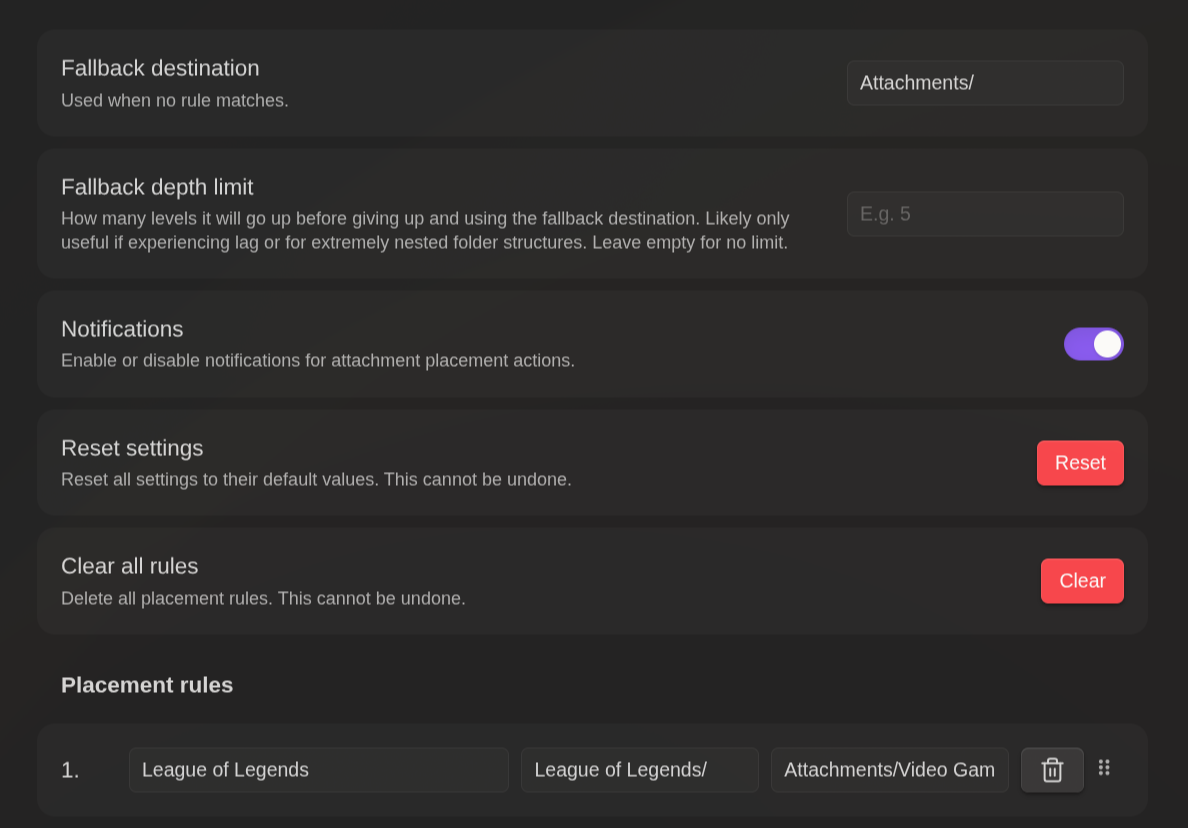
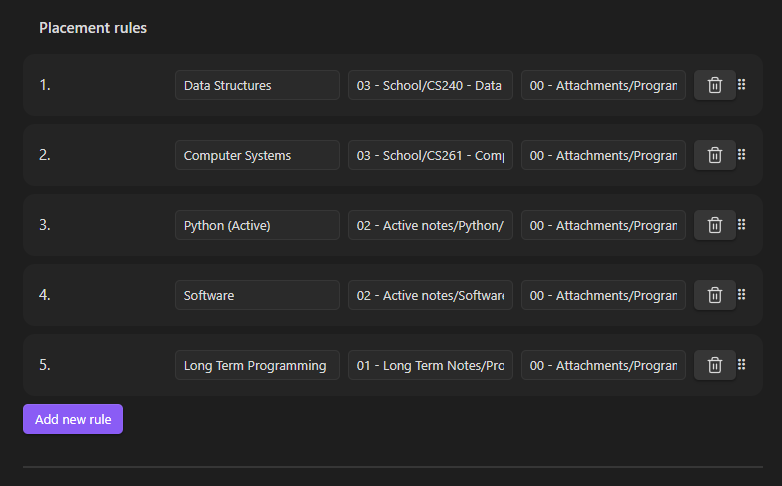
Rules are configured in a settings panel with drag-and-drop reordering and folder validation. If a rule points to a folder that doesn't exist, a Notice is shown.
Publishing a plugin to an official community registry raised the bar on polish, documentation, and correctness compared to personal-use tools. Some key takeaways: