$ demo to get started with & setup beast[code]
beast[code] is a discord bot whose purpose is to facilitate coding practice within a Discord Server. It does this through a reoccurring system of configurable problems. This page is to help you get started with using the bot effectively.
There are three groups of server settings that can be configured using /serverconfig.
Upcoming Contest Alerts, Static Time Alerts, and Other Settings.
Upcoming Contest Alerts can be configured to send alert notifications at time away
intervals for upcoming LeetCode
Contests. Static
Time Alerts handles settings for when contests open and the official daily. Other
Settings includes various other configuration options such as timezone, duplicate problems,
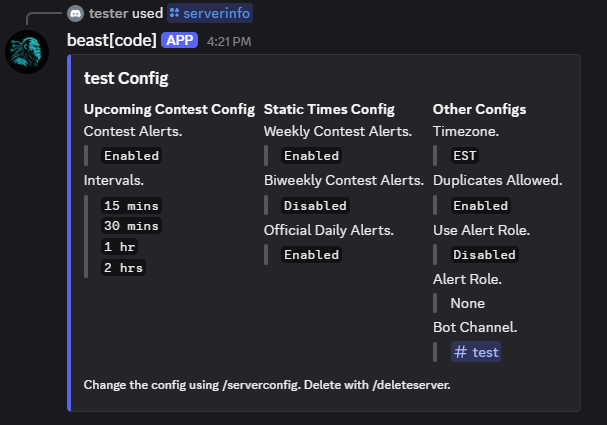
and @mentions. You can view a server's settings using /serverinfo.
There also exists "problem" settings. These settings determine when the recurring problem is sent
alongside other settings such as difficulty and whether premium problems are included. Each problem
is uniquely identified by its problemID. To configure, use /problemconfig. You can view
all configured problems using /probleminfo.
User settings are limited to providing a LeetCode username. Submissions work by checking the server's
"active problems" against the user's recently completed problems. If there is a match, points are
awarded. Active problems can be checked using /problemactive.
lcproblem |
Posts a problem for users to solve. |
dailylcproblem |
Posts the LeetCode daily problem. |
contests |
Displays upcoming contest times. |
submitproblems |
Submits recently completed problems for points. |
leaderboard |
Displays the current point leaderboard. |
rank |
Displays the current leaderboard position of a user. |
userinfo |
Displays user information. |
setusername |
Sets the LeetCode username of the user. |
deleteuser |
Deletes a user's config. |
problemconfig |
Allows configuration of problems. |
probleminfo |
Displays information about all configured problems. |
problemactive |
Displays the problems that can be submitted for points. |
deleteproblem |
Deletes a problem's config. |
serverconfig |
Allows configuration of server settings. |
serverinfo |
Displays information about a server's config. |
resetdupes |
Clears a server's duplicate problems. |
deleteserver |
Deletes a server's config. |
about |
Displays some information about the bot. |
report |
Provides the GitHub link to report bugs. |
help |
Explains and gives details about an individual command. |
vote |
Provides the top.gg link. |
tutorial |
Provides a link to the tutorial. |
Before we can do anything, the bot must first be invited to the server. Use this invite link. The bot only needs permission to @mention users, use slash commands, and send/read messages.
Once the bot is in the server, begin configuring it using /serverconfig. Select
Other Settings to start.
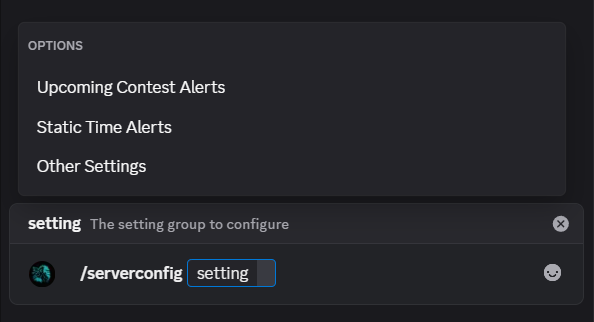
The selection of a setting group provides a dropdown for you to choose the specific setting. The current value is shown in parentheses.
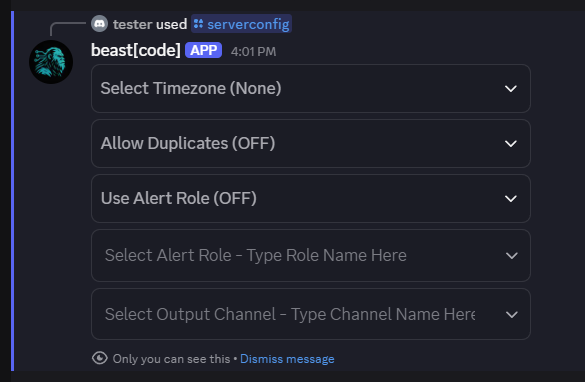
Once Other Settings are configured, move on to the remaining groups by calling
/serverconfig again. When done, use /serverinfo to review all settings and
confirm everything looks right.
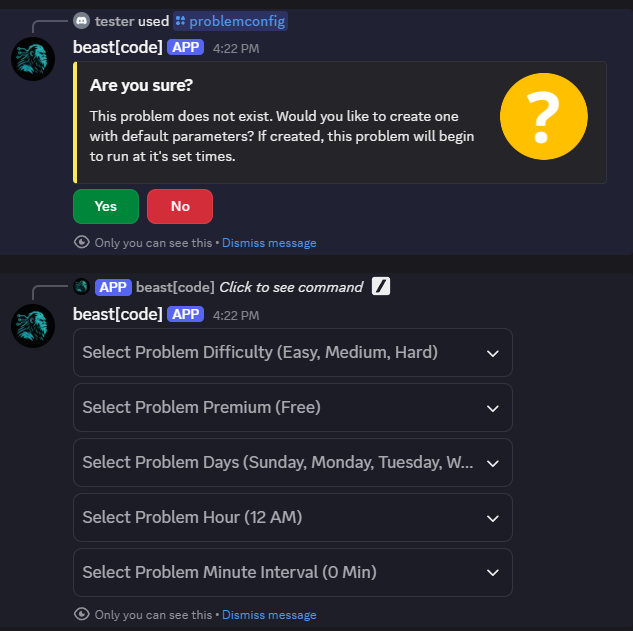
With server settings configured, set up a problem using /problemconfig. When using the
command on a new problemID, it will prompt you to create a new problem. Note that created problems
are immediately active. Use /deleteproblem to remove one.
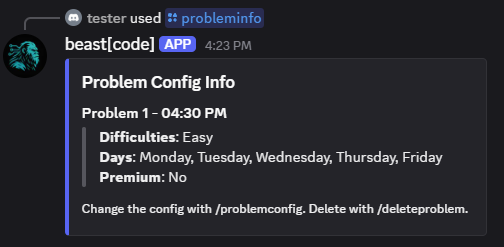
Once configured, use /probleminfo to review. The times and parameters shown are what
will be used to send problems. In this example, an easy free-only problem will be sent on weekdays
at 4:30 PM.
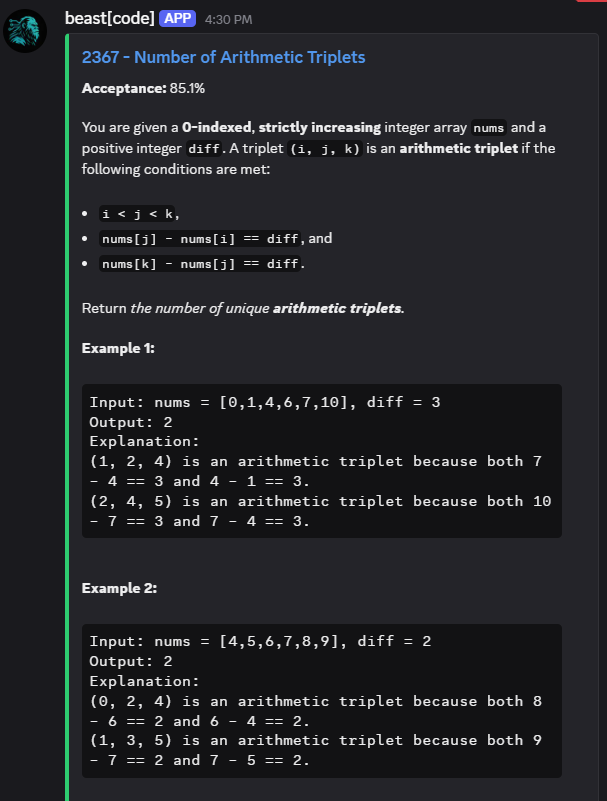
When the problem activates, it's sent to the server and becomes an Active Problem meaning
it can be submitted for points. Check active problems with /problemactive.
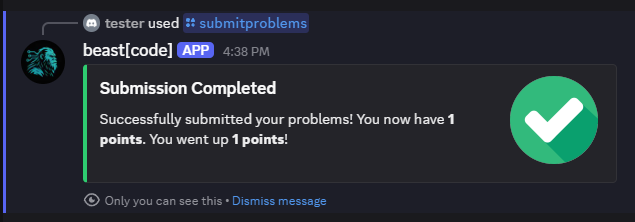
To submit a solved problem, link your LeetCode account with /setusername, then use
/submitproblems. Points are awarded if your recently completed problems match active
ones. Check standings with /leaderboard or /rank.
That's it! You've successfully configured the bot. To add more problems, repeat the same steps with a
different problemID. For further help, use /help directly on the bot, visit the GitHub repository, or reach
out via the contact page.

 hunter baker