$ file compression and decompression using Huffman coding
MadZip is a file compression utility that compresses and decompresses files using a custom Huffman
coding implementation. Select a file through the Swing GUI, compress it to a .mz
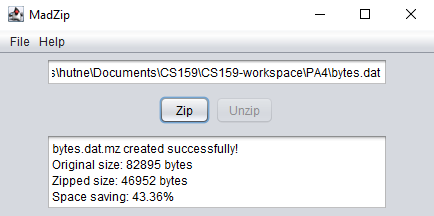
archive, and decompress it back to the original. After each operation the app displays compression
statistics including original size, compressed size, and compression ratio, achieving up to 43%
reduction on text files.
Built as an exercise in implementing a classical compression algorithm from the ground up rather than using a library.
Compression starts by scanning the input file to build a character frequency table stored in a
HashMap. The frequency map is loaded into a PriorityQueue<HuffTree> ordered by
frequency, and the tree is constructed by HuffTree.buildTree(): repeatedly dequeue the
two lowest-frequency nodes, merge them under a new internal node with their combined frequency, and
re-enqueue until one root remains.
The encoding table is produced by recursively traversing the finished tree: left edges append "0" and
right edges append "1", so each leaf (character) maps to a unique variable-length bit string.
Shorter codes are assigned to higher-frequency characters, which is the source of the compression
gain. The encoded bitstream is packed into a custom BitSequence using LSB-first packing
to avoid alignment waste.
Decompression requires the original tree. Rather than re-encoding the tree structure separately, the
.mz file format wraps a serialized HuffmanSave object using Java's
built-in serialization. The tree and the compressed bytes are stored together. On open, the tree is
deserialized and used to walk the bitstream back to the original characters.
Implementing Huffman coding from scratch made the algorithm concrete in a way that reading about it does not. Some key takeaways:
 hunter baker